One of the first and most common times I need to tunnel traffic is for viewing a browser session from a remote ip address where I only have SSH access to the remote server. Luckily, most SSH clients have the capability to tunnel traffic via local and remote ports. I'll be utilizing OpenSSH for this post since I live in a world of Linux generally, though you can still do this on Windows with something like Putty or MobaXTerm. This post assumes you already have a remote server and abililty to open an SSH session with that server to send the traffic through. This is considered a SOCKS4/5 proxy
The first thing you'll need is a way to proxy the browser traffic to a different local port. While this is usually built into most browsers, you can't easily switch between proxy profiles by default. For this I use FoxyProxy (since I am a Firefox user for now) which lets me quick change my proxy settings previously configured and decide which urls I want to proxy.
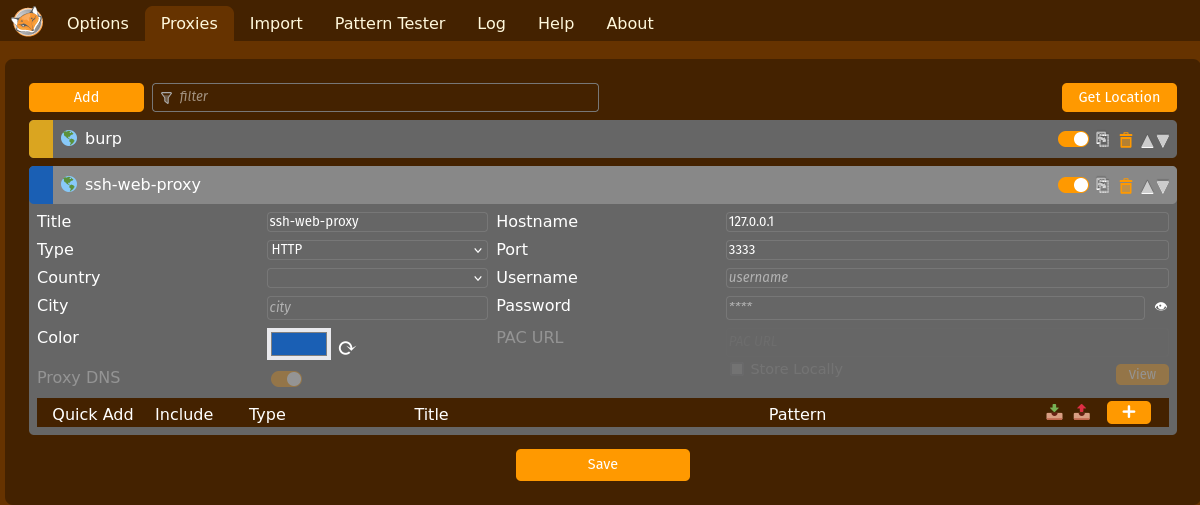
The command we will use is "ssh -D localhost:port remotehost"
In the above FoxyProxy image, our port would be 3333.
Here are some other flags that may be desirable:
 -f      Requests ssh to go to background just before command execution.  This is useful if ssh is going to ask for passwords or passphrases, but the user wants it in the
             background.  This implies -n.  The recommended way to start X11 programs at a remote site is with something like ssh -f host xterm.

 -C      Requests compression of all data (including stdin, stdout, stderr, and data for forwarded X11, TCP and UNIX-domain connections).  The compression algorithm is the
             same used by gzip(1).  Compression is desirable on modem lines and other slow connections, but will only slow down things on fast networks.  The default value can
             be set on a host-by-host basis in the configuration files; see the Compression option.

 -N      Do not execute a remote command.  This is useful for just forwarding ports.  Refer to the description of SessionType in ssh_config(5) for details.
Once you have the SSH session running with the proxy port, enable your FoxyProxy profile and you traffic should be going over the SSH proxy!